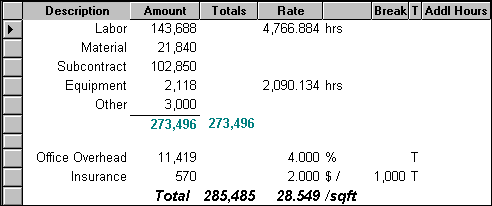
Sage Estimating (SQL) addons are extremely flexible.
To take advantage of this powerful feature, you should review the following information:
-
You can base addons on a variety of costs such as categories, estimate totals, or even other addons.
-
You can create several addons with different rates for the same expense.
-
You choose the specific addons that you need for each estimate in the Totals window.
-
You can position an addon to include some estimate costs and exclude others. Example
-
You can customize the way an addon is calculated for a particular estimate by changing the addon details in the Totals window.
-
When printing estimate reports, you can prorate (allocate) addons across items instead of showing each one separately.
-
When generating transactions for job cost, you can prorate (allocate) addons across items instead of including a separate transaction for each one.